Before duty starts
Agree client contact, check points, keys and escalation route in the assignment instructions.
Industry solution / Service & Facility
For guarding firms coordinating sites, shifts and patrols. Incident reports should say what a guard actually observed, when and where, and who was told.
Pricing & getting started
Keep client, site and agreed service together; a patrol route needs instructions different from a static post.
Assignments, staff and shift plan have separate areas, and planning warnings flag scheduling issues. A duty manager verifies permissions and actual availability.
Reports, patrols and alarms have their own areas; facts, time and location matter more than speculation.
How Sektura helps with everyday work
A guard sees a damaged gate on a scheduled patrol. No one yet knows how the damage happened.
Note time, location and the condition in an incident report.
Use the escalation route agreed in the assignment; urgent danger follows the organisation’s emergency procedure.
Record the response, measures and next check in the report handover note, so the incoming guard sees what is still open.
The handover contains an observation and next actions. No automatic police notification is implied.
Getting started is simple
Enter a fictional client and a specific site to patrol.
Add a sample duty and a staff member with the right role.
Write a factual test incident, add the remaining check to the handover note, and review it in reports.
Agree client contact, check points, keys and escalation route in the assignment instructions.
No credit card is needed to start your trial.
Industry solution
Security teams on patrol
Editorial workflow draft — not a product screenshot.
During a patrol, a guard notices an irregularity at the factory gate.
Record the time, location and observation in an incident note.
Tell the designated contact what was observed.
Agree on follow-up and the next patrol with the team.
The incident and agreed next steps are documented for handover.
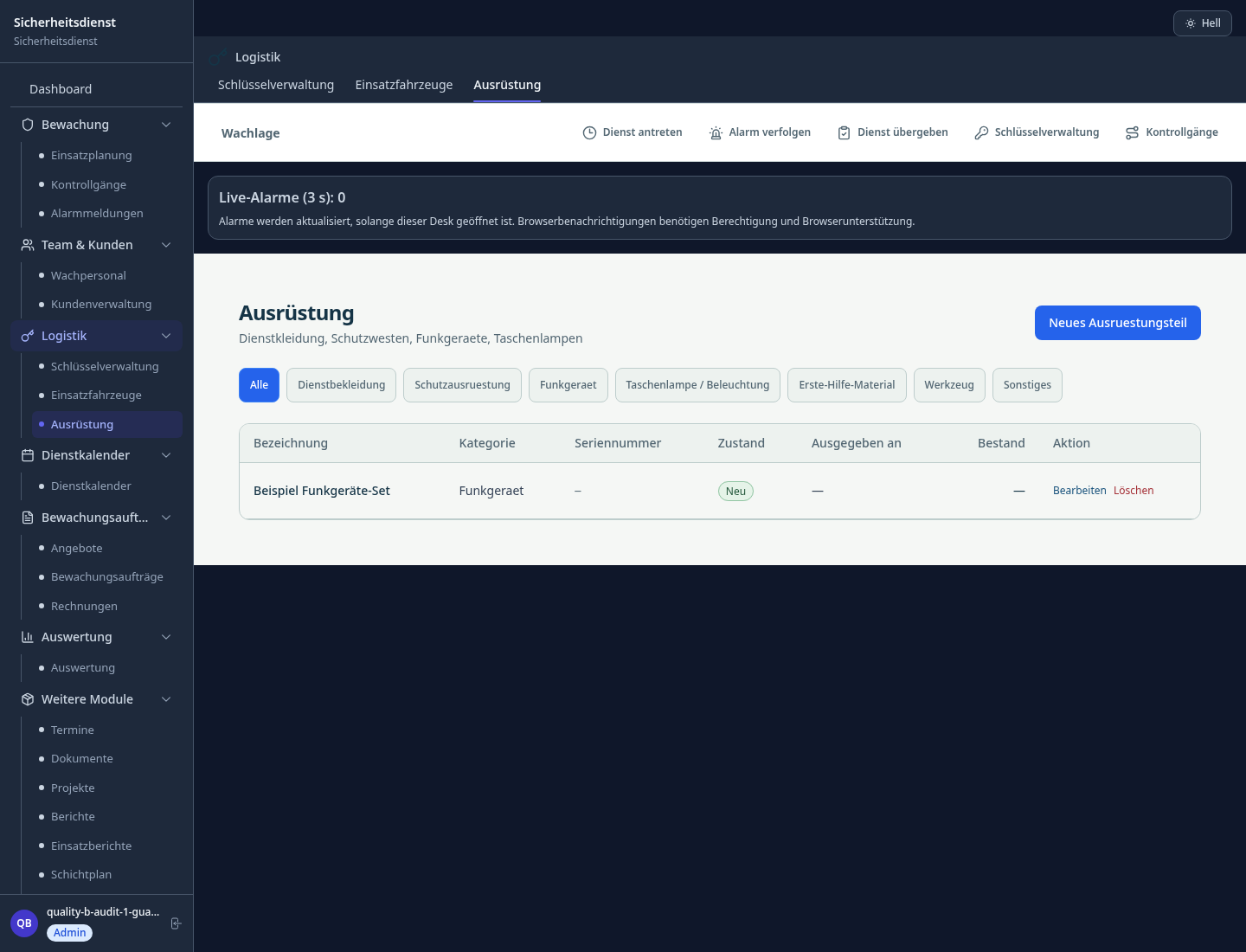
Plan and document security deployments
Security staff, shifts and qualifications
Events, incidents and patrol reports
NFC/QR-based patrol documentation per DIN 77200.
What sets sektura apart from generic systems.
Less paperwork
These features are included in every sektura solution.
Getting started is simple
Set up service catalogue with prices and SLAs
Configure deployment planning and enter initial data
Configure staff management and enter initial data
Configure reporting and enter initial data
Configure guard tour system and enter initial data
Create the first invoice or quote and test the workflow
Before you switch, we check which data we can transfer from your existing system.
Guardio · COREDINATE · GEOS · MyTimeTracker
Germany · Austria · Switzerland · United Kingdom · France · Spain · Italy · Netherlands · Poland · Portugal · Sweden · Denmark · Norway · Finland · Czechia · Romania · Hungary · Türkiye · Russia · Ukraine · Indonesia · Vietnam · Thailand · Saudi Arabia · China · Japan · South Korea · India · Greece · Croatia · Serbia · Bulgaria · Slovakia · Slovenia · Lithuania · Latvia · Estonia · Albania · Malaysia · Philippines · Bangladesh · Pakistan
04 / Getting started
Choose your industry, country and billing cycle. You will see the corresponding industry price; book add-ons separately when needed.
days free trial
No credit card is needed to start your trial.
No credit card is needed to start your trial.
Add-ons are billed separately in EUR. Displayed prices reflect your selected country and billing cycle.

Industry software for chimney sweeps — sweep districts, emissions measurements, fireplace inspections and invoicing.

Job management for cleaning companies and facility services
Job management for commercial cleaning companies
Case management for private investigators and detective agencies

.jpg)

