Jurisdiction
Germany’s KÜO and 1. BImSchV do not automatically apply elsewhere.
Industry solution / Service & Facility
For chimney sweep businesses planning visits to combustion appliances and recording actual readings, observations and defects.
Pricing & getting started
Review the appliance and property notes together.
Check due work and routes, then agree access with the owner.
Keep readings and defects with the visit for professional assessment.
How Sektura helps with everyday work
In this illustrative example, an owner confirms access to a property with two combustion appliances. One has a visit due.
The technician reviews the appliance type and due work before travelling.
After the work, the actual readings and observations are entered.
A defect is documented with the affected appliance and considered in the visit record.
The visit and finding remain traceable; the qualified professional judges the applicable obligations.
Getting started is simple
Add a synthetic building and one appliance.
Check due work and record an agreed appointment.
Enter test readings and a finding, then inspect the record.
Germany’s KÜO and 1. BImSchV do not automatically apply elsewhere.
No credit card is needed to start your trial.
Industry solution
Chimney sweeps visiting combustion appliances
Editorial workflow draft — not a product screenshot.
A sweep visit is agreed for an appliance at a customer's property.
Check appliance type and existing property notes.
Confirm visit time and access with the owner.
Record readings and observations after the visit.
The appliance, access arrangements and findings are documented for professional follow-up.
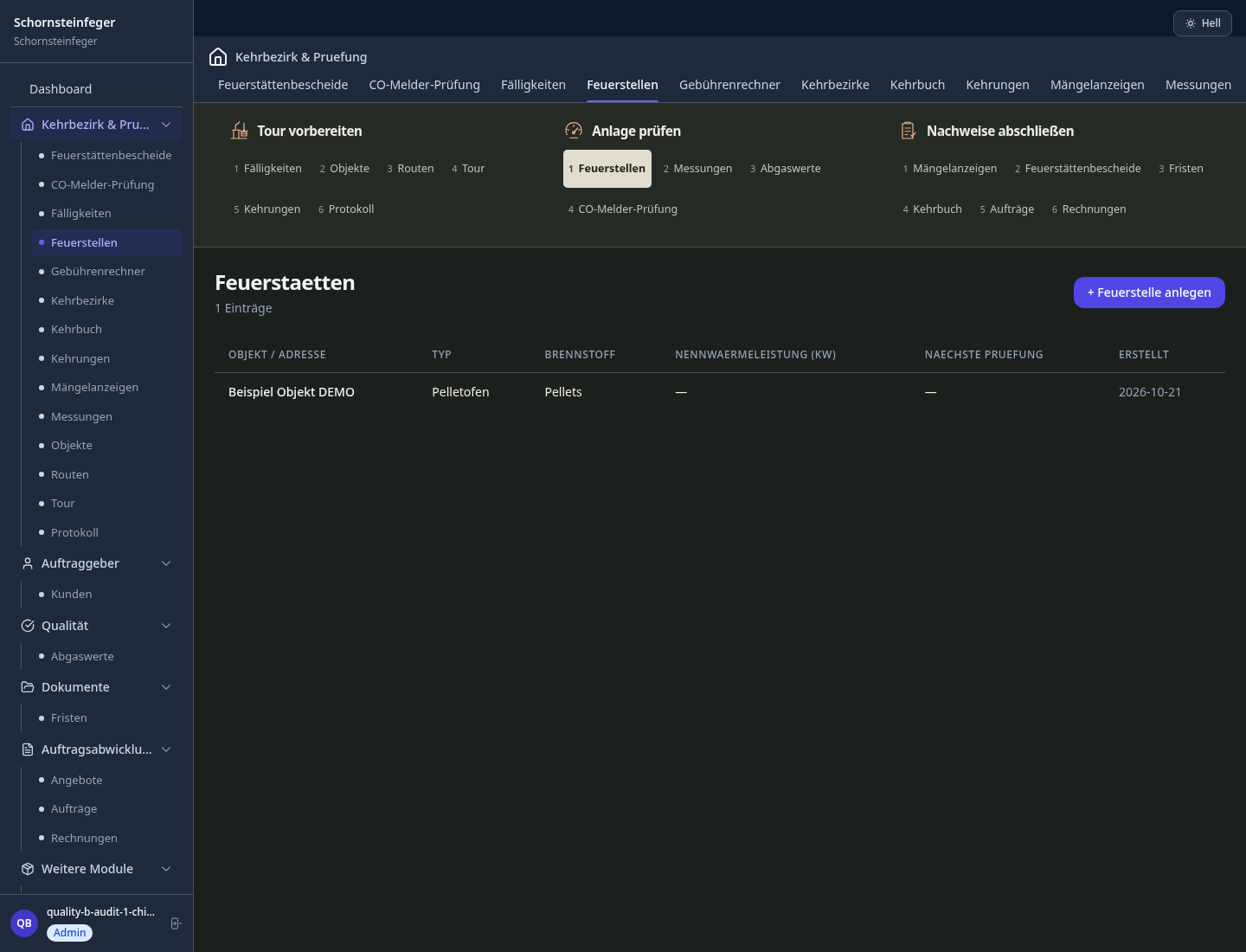
Create sweeping and measurement reports
Record measurements per 1.BImSchV, limit value monitoring and PDF export
Next 60 days -- Appointments, monthly overview
All installations per property: type, year of construction, rated power, flue path
Document identified defects · Notices, deadlines, proof of delivery
Less paperwork
These features are included in every sektura solution.
Customer records with full project history for all Chimney Sweep Desk jobs and relevant contact and location information.
Invoices for Chimney Sweep Desk services under local law. Automatic numbering, PDF export and dunning management.
Appointments for Chimney Sweep Desk deployments with GPS address, staff assignment and automatic email reminders.
All Chimney Sweep Desk documents managed centrally: plans, protocols, warranties, certificates and manufacturer documentation.
Chimney Sweep Desk jobs with industry-specific fields, status tracking and automatic cost calculation.
Reports for Chimney Sweep Desk: revenue by service type, utilisation, averages and profitability per job.
Vote on new Chimney Sweep Desk features. Which functions matter most? Your vote counts in product development.
Getting started is simple
Set up sweep district, fireplace types and inspection dates
Configure sweep log per küo & bimschv and enter initial data
Configure flue gas measurement co, noₓ, soot and enter initial data
Configure mandatory sweep dates & deadlines and enter initial data
Create the first invoice or quote and test the workflow
Before you switch, we check which data we can transfer from your existing system.
craftboxx · openHandwerk · Kehrbezirk Online · Streit V.1
Germany · Austria · Switzerland · United Kingdom · France · Spain · Italy · Netherlands · Poland · Portugal · Sweden · Denmark · Norway · Finland · Czechia · Romania · Hungary · Türkiye · Russia · Ukraine · Indonesia · Vietnam · Thailand · Saudi Arabia · China · Japan · South Korea · India · Greece · Croatia · Serbia · Bulgaria · Slovakia · Slovenia · Lithuania · Latvia · Estonia · Albania · Malaysia · Philippines · Bangladesh · Pakistan
04 / Getting started
Choose your industry, country and billing cycle. You will see the corresponding industry price; book add-ons separately when needed.
days free trial
No credit card is needed to start your trial.
No credit card is needed to start your trial.
Add-ons are billed separately in EUR. Displayed prices reflect your selected country and billing cycle.
Job management for cleaning companies and facility services
Job management for commercial cleaning companies
Case management for private investigators and detective agencies
Event management for event agencies, planners and venue operators
.jpg)


