Pause on new symptoms
Seek appropriate professional assessment instead of assuming an old clearance still applies.
Industry solution / Sports & Fitness
A client brings an old strength plan after six months away. Record the new goal, check the configured screening status, write a plan with exercises and rest, and book an individual session. A linked package counts only sessions marked completed.
Pricing & getting started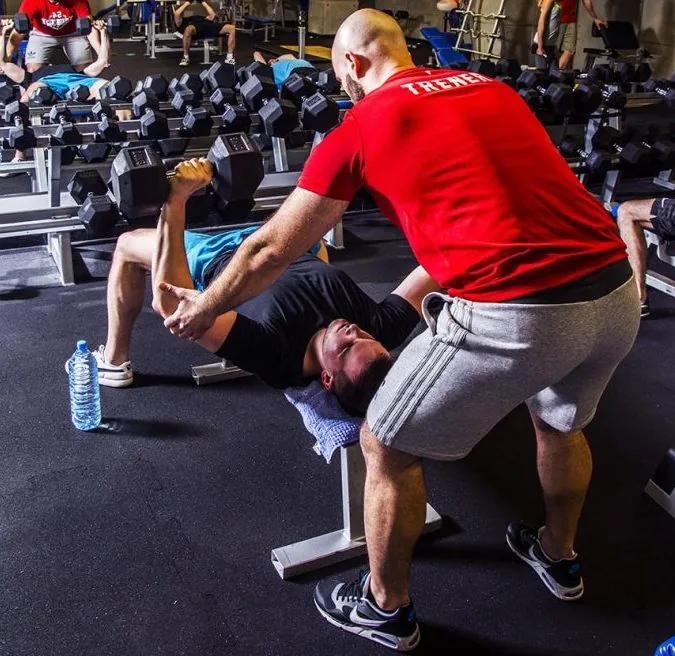
Goal, training focus and weekly rhythm are recorded without treating an old plan as today’s capacity.
A client plan can hold weeks, start date, exercises, sets, repetitions and rest.
The package balance derives from linked appointments marked completed, not merely booked.
How Sektura helps with everyday work
Fictional example: a client has not trained for six months and asks whether she can resume her old weights.
The trainer discusses her aim and any limitations, then reviews the screening status required by the studio’s settings.
After professional judgement, they make a fresh exercise plan and agree a one-to-one appointment.
After training, the trainer adds factual notes and marks the appointment completed; only then does a linked package count it.
Next time, the coach has a discussed starting point and an accurate package balance, without a medical guarantee.
Getting started is simple
Use fictional goal and training frequency; inspect your screening setting.
Enter sample exercises and a linked appointment after checking any screening requirement.
Attach a test package and compare its balance before and after a completed sample session.
Seek appropriate professional assessment instead of assuming an old clearance still applies.
Record what the work needs and restrict team access.
No credit card is needed to start your trial.
Industry solution
Independent personal trainers
Editorial workflow draft — not a product screenshot.
A client wants to restart individual training after a long break.
Ask about current capacity and training goals.
Plan exercises and session dates for a gradual restart.
Note observations after the first session.
The client has an agreed starting plan and a recorded first session.
Create individual training plans
Track weight, measurements and performance
Online booking for individual and group training
Progress dashboard with measurements and before-after photos.
Document and visualise training progress with measurements, photos and performance data.
What sets sektura apart from generic systems.
Less paperwork
These features are included in every sektura solution.
Getting started is simple
Set up class schedule, training times and membership rates
Configure training planning and enter initial data
Configure progress tracking and enter initial data
Configure appointment booking and enter initial data
Configure progress tracking and enter initial data
Create the first invoice or quote and test the workflow
Before you switch, we check which data we can transfer from your existing system.
Virtuagym · Fitogram · bookee · PT Distinction
Germany · Austria · Switzerland · United Kingdom · France · Spain · Italy · Netherlands · Poland · Portugal · Sweden · Denmark · Norway · Finland · Czechia · Romania · Hungary · Türkiye · Russia · Ukraine · Indonesia · Vietnam · Thailand · Saudi Arabia · China · Japan · South Korea · India · Greece · Croatia · Serbia · Bulgaria · Slovakia · Slovenia · Lithuania · Latvia · Estonia · Albania · Malaysia · Philippines · Bangladesh · Pakistan
04 / Getting started
Choose your industry, country and billing cycle. You will see the corresponding industry price; book add-ons separately when needed.
days free trial
No credit card is needed to start your trial.
No credit card is needed to start your trial.
Add-ons are billed separately in EUR. Displayed prices reflect your selected country and billing cycle.
Software for campsites – professional management of pitches, bookings, arrivals, departures and invoices.

Software for climbing gyms – efficient management of memberships, courses, day tickets and invoices.

Software for equestrian businesses – bookings, riding lessons, livery boxes and horse management at a glance.

Software for anglers and fishing clubs – document catches, manage waters and track fishing licences.
