Assign the follow-up
Decide who checks promotions and calls the affected member.
Industry solution / Sports & Fitness
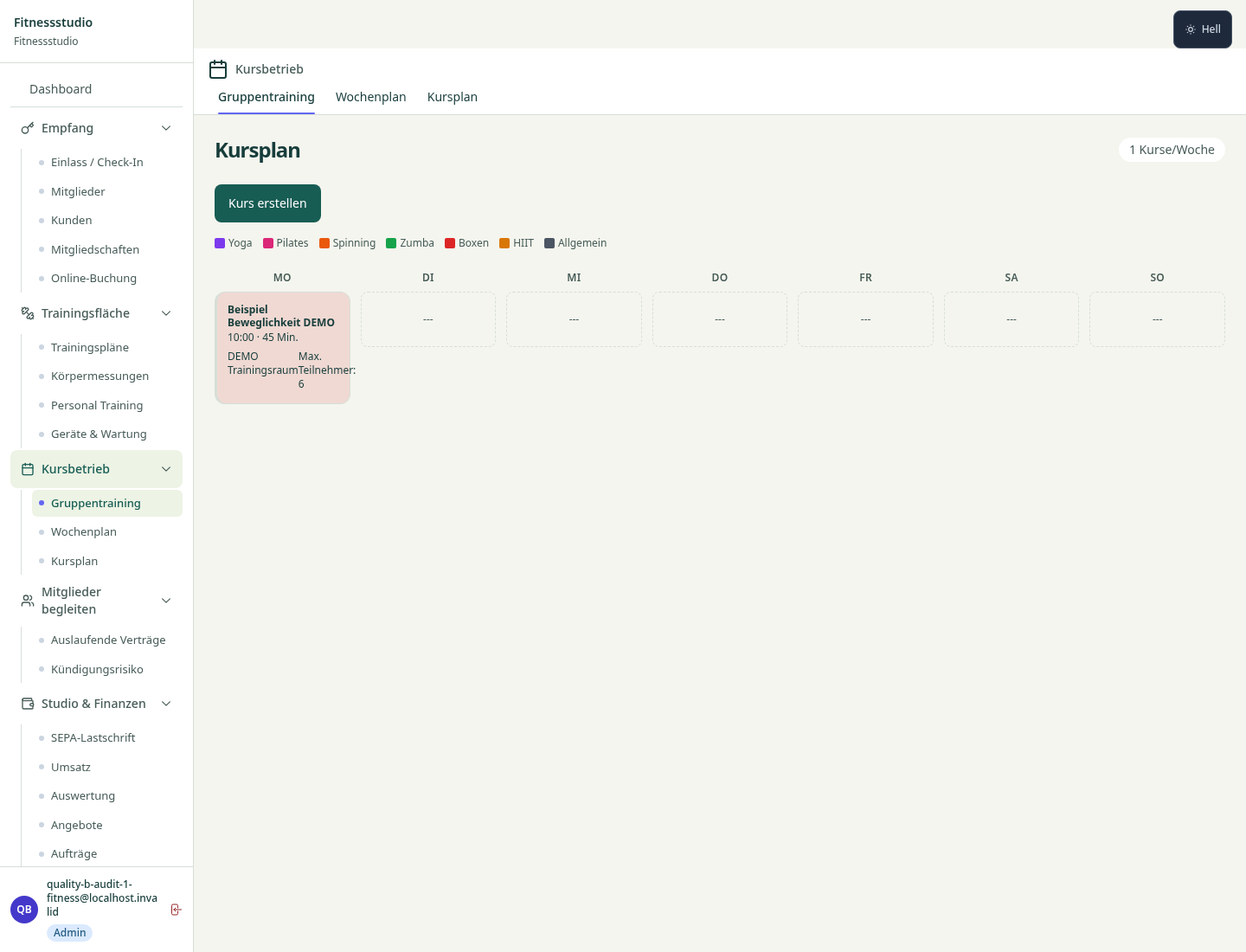
At the gym desk, cancellations and waitlist questions arrive together. Open the weekly timetable to see the class, room and limit; review active bookings and the queue before speaking to the member.
Pricing & getting started
Active bookings, available places and queue positions sit with the selected class.
Removing a booking can promote the earliest waiter in the stored list; staff can check the new status.
The timetable shows another class time and room, leaving suitability to the team.
How Sektura helps with everyday work
Fictional example: a member cancels from a full Wednesday evening circuit class while another asks about the waitlist.
Open that class and remove the member’s booking.
The first waiting record may move to active; refresh the class bookings and check the count.
Contact the promoted person through your agreed studio channel and discuss an alternative if needed.
The list shows the current position; the team supplies the human confirmation.
Getting started is simple
Set a small limit, trainer, room and Wednesday time with sample data.
Use fictional membership records, fill the class and place one person in the queue.
Remove one sample booking and review the changed status before contacting anyone.
Decide who checks promotions and calls the affected member.
Staff still verify room, trainer and whether the class fits the person.
Removing the booking leaves the recurring weekly class. The desk has no separate absence status for just next Wednesday.
No credit card is needed to start your trial.
Industry solution
Fitness studios
Editorial workflow draft — not a product screenshot.
A member wants to attend an evening class that is already full.
Check the chosen class and available places.
Explain the waitlist and an alternative date.
Note the agreed attendance option and follow-up.
The member knows their place or next possible date.
Course booking with automatic waitlist, push notification when a spot opens
Body measurements, weight, body fat tracking with trend graph and photo comparison
QR code & RFID check-in, compatible with turnstiles, smart locks and access systems
SEPA/credit card/Stripe, automatic dunning runs, subscription pause and cancellation periods
Manage trial memberships, conversion tracking, automated follow-up emails
Less paperwork
These features are included in every sektura solution.
Customer records with full project history for all FitnesDesk jobs and relevant contact and location information.
Invoices for FitnesDesk services under local law. Automatic numbering, PDF export and dunning management.
Appointments for FitnesDesk deployments with GPS address, staff assignment and automatic email reminders.
All FitnesDesk documents managed centrally: plans, protocols, warranties, certificates and manufacturer documentation.
FitnesDesk jobs with industry-specific fields, status tracking and automatic cost calculation.
Reports for FitnesDesk: revenue by service type, utilisation, averages and profitability per job.
Vote on new FitnesDesk features. Which functions matter most? Your vote counts in product development.
Getting started is simple
Set up training schedule, membership rates and classes
Configure course booking & waitlist and enter initial data
Configure body measurement & progress log and enter initial data
Configure access control integration and enter initial data
Create the first invoice or quote and test the workflow
Before you switch, we check which data we can transfer from your existing system.
Magicline · Virtuagym · Fitogram · bookee
Germany · Austria · Switzerland · United Kingdom · France · Spain · Italy · Netherlands · Poland · Portugal · Sweden · Denmark · Norway · Finland · Czechia · Romania · Hungary · Türkiye · Russia · Ukraine · Indonesia · Vietnam · Thailand · Saudi Arabia · China · Japan · South Korea · India · Greece · Croatia · Serbia · Bulgaria · Slovakia · Slovenia · Lithuania · Latvia · Estonia · Albania · Malaysia · Philippines · Bangladesh · Pakistan
04 / Getting started
Choose your industry, country and billing cycle. You will see the corresponding industry price; book add-ons separately when needed.
days free trial
No credit card is needed to start your trial.
No credit card is needed to start your trial.
Add-ons are billed separately in EUR. Displayed prices reflect your selected country and billing cycle.

Software for campsites – professional management of pitches, bookings, arrivals, departures and invoices.

Software for climbing gyms – efficient management of memberships, courses, day tickets and invoices.

Software for equestrian businesses – bookings, riding lessons, livery boxes and horse management at a glance.

Software for anglers and fishing clubs – document catches, manage waters and track fishing licences.
