Protect young members’ information
Limit access to family contacts and pass details to people who need them for club duties.
Industry solution / Associations
A youth team needs more than a fixture: reachable members, a room for the final practice, valid player registration and real replies. Keep the club records together while coaches confirm participation with families.
Pricing & getting started
Member records hold team, joining date, contribution and player pass details. Expiry warnings help staff spot questions, but do not establish official eligibility.
A session records team, date, start, duration, coach and focus. When linked to a venue booking, the system checks that the session fits the reserved time.
The fixture records opponent, home or away status, ground and start time. Contribution arrears are calculated from entered member and payment dates, not bank evidence.
How Sektura helps with everyday work
Two families have not answered the coach’s message. Another player’s pass date is close to expiry, and the team wants one more indoor practice on Thursday.
The coach reviews the member list and pass hints, then gets actual replies from families. The club checks official eligibility with the relevant governing body.
The coach finds the hall reservation and enters start and duration inside its time window. A booking does not tell the club who will attend.
The opponent, away venue and start time are entered. The confirmed squad and any official team submission are handled separately; a fixture does not contain a predeclared lineup.
Club officials can see the plan and the unanswered participation or pass questions before departure.
Getting started is simple
A member record needs an existing contact. Add a sample contact first, then set a team, contribution and invented pass date.
Create a team and a matching hall or ground reservation, then enter coach, start and duration inside the booked period.
Use an imaginary opponent, date, start and venue. Compare the fixture with the team and fee views without treating it as a governing body submission.
Limit access to family contacts and pass details to people who need them for club duties.
Eligibility, official reporting and contribution treatment depend on the sport, association, club rules and location.
No credit card is needed to start your trial.
Industry solution
Sports clubs with organised team play
Editorial workflow draft — not a product screenshot.
A youth team has an away fixture and its squad is not yet final.
Confirm available players with the team lead.
Agree a training time before the match.
Record the fixture and confirmed squad.
Squad and fixture are noted for coaches and members.
Manage teams, squads and rosters
Manage fixtures, enter live results and generate league tables automatically.
Schedule training sessions and track attendance
Automated membership fee collection via SEPA direct debit
Track player performance and match statistics
Send newsletters and notifications to members
What sets sektura apart from generic systems.
Less paperwork
These features are included in every sektura solution.
Customer records with full project history for all Sports Club jobs and relevant contact and location information.
Invoices for Sports Club services under local law. Automatic numbering, PDF export and dunning management.
Appointments for Sports Club deployments with GPS address, staff assignment and automatic email reminders.
All Sports Club documents managed centrally: plans, protocols, warranties, certificates and manufacturer documentation.
Sports Club jobs with industry-specific fields, status tracking and automatic cost calculation.
Reports for Sports Club: revenue by service type, utilisation, averages and profitability per job.
Vote on new Sports Club features. Which functions matter most? Your vote counts in product development.
Getting started is simple
Import members with their team assignments and fee categories
Create teams, set up training schedules and assign coaches
Configure SEPA direct debit for automated fee collection
Set up the match calendar and enter upcoming fixtures
Create the first membership invoice batch and test the workflow
Before you switch, we check which data we can transfer from your existing system.
Vereinsflieger · Easyverein · Vereinonline · Clubdesk
Germany · Austria · Switzerland · United Kingdom · France · Spain · Italy · Netherlands · Poland · Portugal · Sweden · Denmark · Norway · Finland · Czechia · Romania · Hungary · Türkiye · Russia · Ukraine · Indonesia · Vietnam · Thailand · Saudi Arabia · China · Japan · South Korea · India · Greece · Croatia · Serbia · Bulgaria · Slovakia · Slovenia · Lithuania · Latvia · Estonia · Albania · Malaysia · Philippines · Bangladesh · Pakistan
04 / Getting started
Choose your industry, country and billing cycle. You will see the corresponding industry price; book add-ons separately when needed.
days free trial
No credit card is needed to start your trial.
No credit card is needed to start your trial.
Add-ons are billed separately in EUR. Displayed prices reflect your selected country and billing cycle.

Management software for animal welfare clubs — shelter management, foster care, adoption placement and donation management.
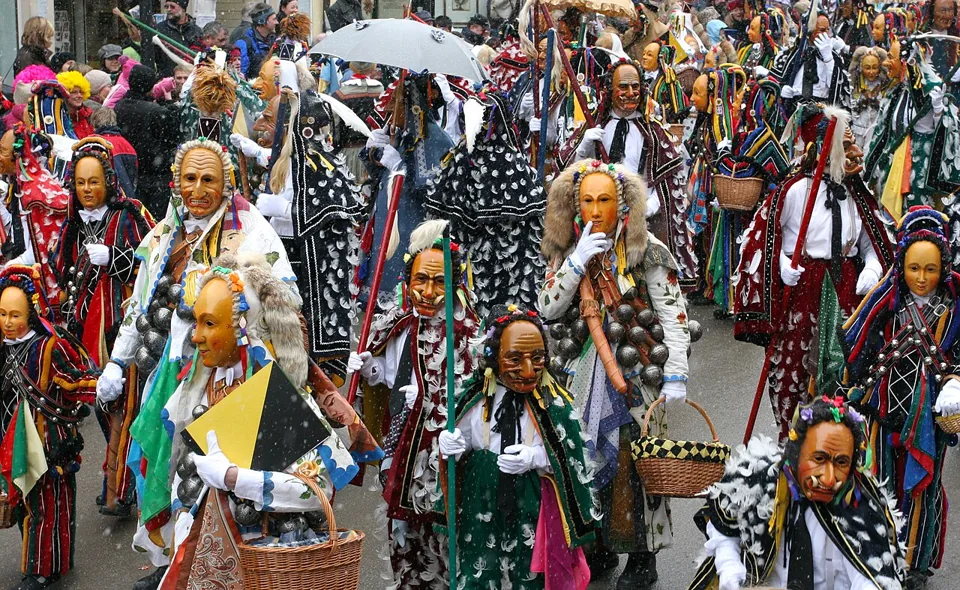
Management software for carnival clubs — session planning, costume management, guard dance and show organisation.

Management software for community and neighbourhood associations — members, activities and local networking.

Management software for cultural clubs — theatre, dance, traditions, carnival and more.
