Agree the proof standard
Customer sign-off, colour expectations, tolerances and delivery terms should be made explicit for the particular job.
Industry solution / Creative & Media
A customer’s artwork does not answer the questions about finished size, stock, run length and delivery. Sektura keeps the agreed order details with paper availability, machine planning and the manual approval step so the workshop can see what is ready and what is still open.
Pricing & getting started
Product, size, colours, stock, quantity, finishing and requested date can be recorded before the job reaches the pressroom.
Paper stock and the production schedule help the team compare the run with material and machine time; people still confirm feasibility.
Order stages and a human print approval are recorded. Dispatch details can be entered without implying a carrier has been booked.
How Sektura helps with everyday work
Fictional shop-floor example: a promoter wants 2,000 double-sided flyers by Friday. Artwork came by email, but the stock choice and final approval are missing.
Sales records the finished size, print run, colours and paper weight and asks the customer to confirm the stock.
Prepress inspects the actual artwork outside the metadata warning step; the team checks available sheets and a plausible press slot.
An authorised colleague records manual approval, hands the job to production and notes collection or shipping arrangements.
The promoter gets a clear update on what is settled. The desk has not inspected the file bytes or printed the flyers by itself.
Getting started is simple
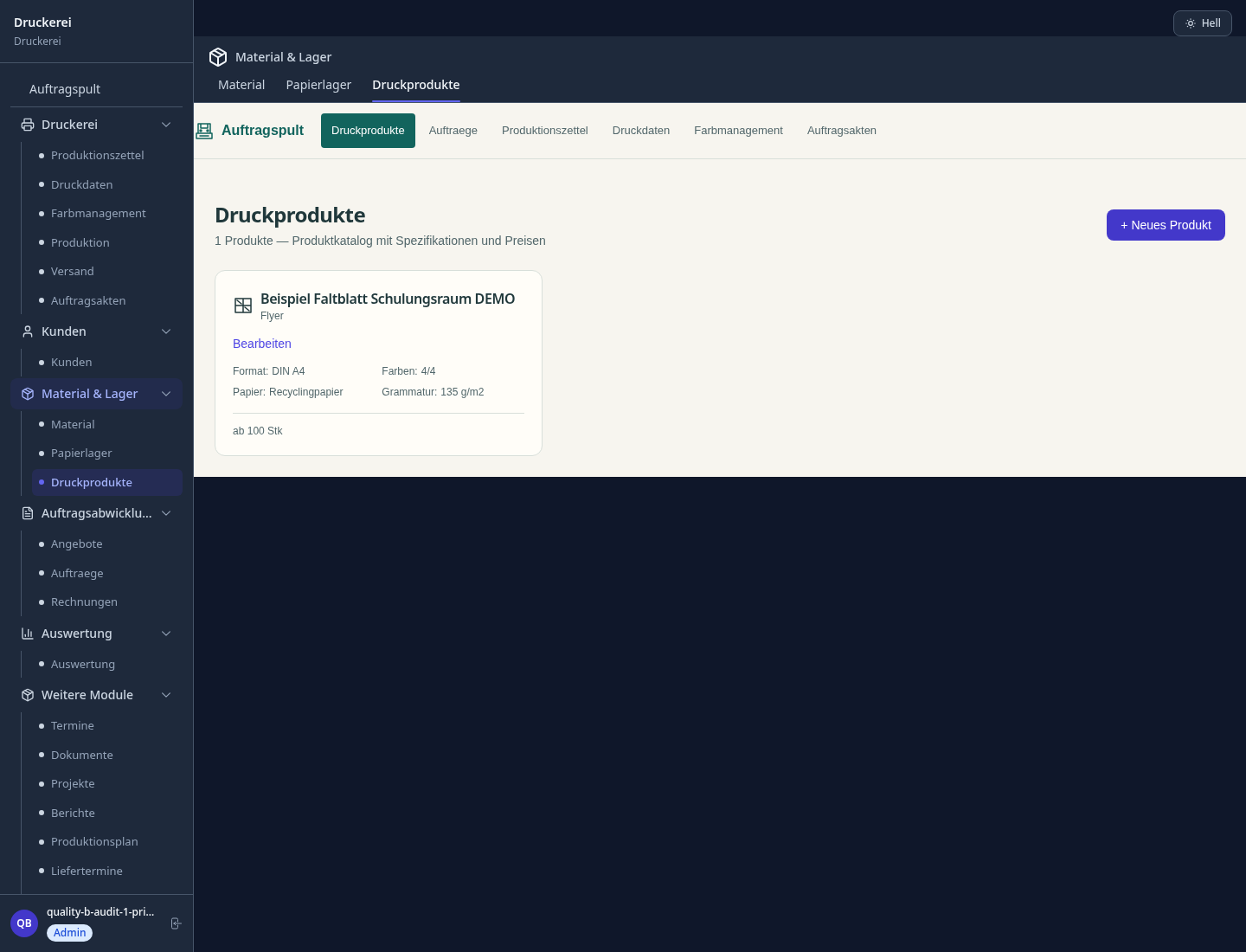
Set up a fictional flyer product and a paper item with a realistic sheet count.
Specify size, quantity, colours, paper, finishing and requested delivery date.
Check stock and schedule, read the order-data warnings and only simulate approval after a separate artwork review.
Customer sign-off, colour expectations, tolerances and delivery terms should be made explicit for the particular job.
No credit card is needed to start your trial.
Industry solution
Print shops and digital printers
Editorial workflow draft — not a product screenshot.
A customer supplies a flyer file, but paper stock and quantity are still undecided.
Confirm format and quantity with the customer.
Check paper stock for the agreed run.
Reserve machine time for the print job.
The job records paper, quantity and a planned production slot.
Price per edition, format, paper type, colour and finishing (varnish, lamination)
Visually plan press setup times and production order, identify bottlenecks
Track paper, ink and substrate consumption with automatic reorder suggestions
Manage colour profiles per printing process and create print approval protocol for clients
Break-even analysis per edition — price recommendation and profit margin at the push of a button
Less paperwork
These features are included in every sektura solution.
Customer records with full project history for all PrintShopDesk jobs and relevant contact and location information.
Invoices for PrintShopDesk services under local law. Automatic numbering, PDF export and dunning management.
Appointments for PrintShopDesk deployments with GPS address, staff assignment and automatic email reminders.
All PrintShopDesk documents managed centrally: plans, protocols, warranties, certificates and manufacturer documentation.
PrintShopDesk jobs with industry-specific fields, status tracking and automatic cost calculation.
Reports for PrintShopDesk: revenue by service type, utilisation, averages and profitability per job.
Vote on new PrintShopDesk features. Which functions matter most? Your vote counts in product development.
Getting started is simple
Set up print products, paper types and prices
Configure print job calculator and enter initial data
Configure machine scheduling workflow and enter initial data
Configure paper stock & reorder alert and enter initial data
Create the first invoice or quote and test the workflow
Before you switch, we check which data we can transfer from your existing system.
PrintVis · EFI Pace · Caldera · CERM
Germany · Austria · Switzerland · United Kingdom · France · Spain · Italy · Netherlands · Poland · Portugal · Sweden · Denmark · Norway · Finland · Czechia · Romania · Hungary · Türkiye · Russia · Ukraine · Indonesia · Vietnam · Thailand · Saudi Arabia · China · Japan · South Korea · India · Greece · Croatia · Serbia · Bulgaria · Slovakia · Slovenia · Lithuania · Latvia · Estonia · Albania · Malaysia · Philippines · Bangladesh · Pakistan
04 / Getting started
Choose your industry, country and billing cycle. You will see the corresponding industry price; book add-ons separately when needed.
days free trial
No credit card is needed to start your trial.
No credit card is needed to start your trial.
Add-ons are billed separately in EUR. Displayed prices reflect your selected country and billing cycle.

Software for dance schools – student management, course planning, exam preparation and invoices at a glance.

Project management for graphic designers and design agencies

Campaign management for advertising agencies and marketing service providers

Job management for photographers and photo studios