File-specific approval
A print approval needs a project-linked document and a recorded check; it does not approve every earlier draft or grant usage rights.
Industry solution / Creative & Media
For designers and small studios managing client copy, revisions and print handover. Keep the requested format, open decisions and exact file version in view while you do the creative work.
Pricing & getting started
Record audience, format, deadline and style instructions before the layout starts.
Link a change request to its project and keep its status visible during the next round.
Record who checked which project file; unresolved rights and print specifications still need a human answer.
How Sektura helps with everyday work
In this fictional studio job, a community organiser sends revised times after seeing the first flyer proof.
The designer asks which time is final and checks whether the supplied photograph may be used.
She records the correction against the project and prepares a new file for review.
Before print handover, she checks the required size and gets a decision on that exact file.
The studio can distinguish the approved version from the old proof; a rights question is left open until resolved.
Getting started is simple
Add a fictional flyer job and its deadline.
Enter audience, size, style and missing copy.
Record one changed time, then check the approval status of a project file.
A print approval needs a project-linked document and a recorded check; it does not approve every earlier draft or grant usage rights.
No credit card is needed to start your trial.
Industry solution
Graphic designers preparing print layouts
Editorial workflow draft — not a product screenshot.
A client requests a new version of an event flyer after the programme changes.
Gather the brief, changed copy and image permissions.
Review the revised layout with the client.
Check print size and outstanding approvals before handover.
Changes and missing approvals are clear for the next version.
Clients comment on drafts directly in the browser — revisions versioned and approved
Fonts, stock photos and plugins with licence type, expiry date and permitted use
Technical checklist before print release: resolution, colour mode, bleed, embedding
Hourly rate + licences + third-party costs + margin — quote generated from calculation with one click
Share moodboards and drafts via secured link — with expiry date and feedback
Less paperwork
These features are included in every sektura solution.
Customer records with full project history for all DesignDesk jobs and relevant contact and location information.
Invoices for DesignDesk services under local law. Automatic numbering, PDF export and dunning management.
Appointments for DesignDesk deployments with GPS address, staff assignment and automatic email reminders.
All DesignDesk documents managed centrally: plans, protocols, warranties, certificates and manufacturer documentation.
DesignDesk jobs with industry-specific fields, status tracking and automatic cost calculation.
Reports for DesignDesk: revenue by service type, utilisation, averages and profitability per job.
Vote on new DesignDesk features. Which functions matter most? Your vote counts in product development.
Getting started is simple
Set up project types, hourly rates and portfolio
Configure creative brief & version approval and enter initial data
Configure asset licence tracker and enter initial data
Configure print data preflight checklist and enter initial data
Create the first invoice or quote and test the workflow
Before you switch, we check which data we can transfer from your existing system.
HoneyBook · Bonsai · AND.CO · Moxie
Germany · Austria · Switzerland · United Kingdom · France · Spain · Italy · Netherlands · Poland · Portugal · Sweden · Denmark · Norway · Finland · Czechia · Romania · Hungary · Türkiye · Russia · Ukraine · Indonesia · Vietnam · Thailand · Saudi Arabia · China · Japan · South Korea · India · Greece · Croatia · Serbia · Bulgaria · Slovakia · Slovenia · Lithuania · Latvia · Estonia · Albania · Malaysia · Philippines · Bangladesh · Pakistan
04 / Getting started
Choose your industry, country and billing cycle. You will see the corresponding industry price; book add-ons separately when needed.
days free trial
No credit card is needed to start your trial.
No credit card is needed to start your trial.
Add-ons are billed separately in EUR. Displayed prices reflect your selected country and billing cycle.

Software for dance schools – student management, course planning, exam preparation and invoices at a glance.

Campaign management for advertising agencies and marketing service providers

Job management for photographers and photo studios
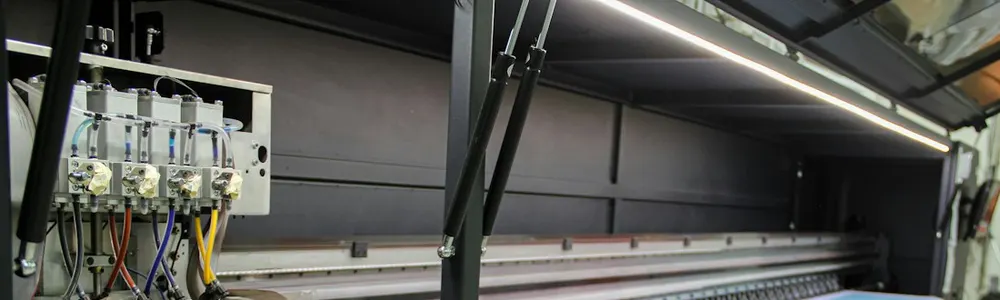
Print order management for print shops, copy shops and digital print businesses