Keep the site visit in the process
Digital records help organise decisions, but do not replace measuring, inspecting material or obtaining required technical approval.
Industry solution / Trades & Construction
A photograph starts the conversation, but hinges, posts and actual dimensions determine the repair. Keep the workpiece and material assumptions together before agreeing scope and price.
Pricing & getting started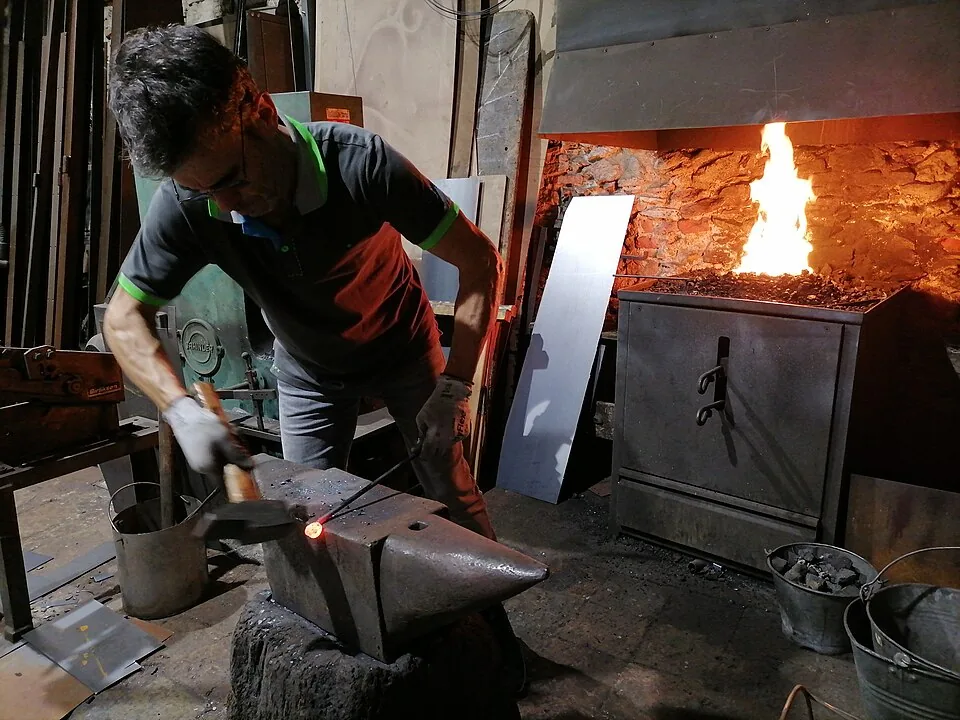
Keep workpiece type, dimensions, metal, planned weight and job reference together, so the workshop can identify the right gate leaf or railing section.
Link a suitable metal batch and compare planned weight with its available amount. Physical condition and suitability still need a workshop check.
Record the project, number of positions and net amount in costing. Agree repair method, timing and conditions after the site inspection.
How Sektura helps with everyday work
A homeowner sends photographs of a bent wrought iron gate leaf. The forge cannot tell from the images whether the hinge alone has failed or the supporting post has shifted, so a site visit is arranged.
The smith checks the frame, hinge fixings, post and clearance, and records the actual dimensions.
The gate leaf is recorded with its metal, estimated weight and job reference. A batch is linked only if the metal and remaining quantity fit.
The workshop enters project, position count and net amount for the price conversation, then confirms the repair scope and timing with the owner.
The owner can make a decision based on inspected conditions, while the workshop has a clear material assumption.
Getting started is simple
Enter sample dimensions, metal, weight and an invented job reference to see the workpiece fields in context.
Compare available weight with planned use; also try a mismatched metal or insufficient balance to see the validation.
Fill in a project, position count and net amount. Discuss actual work stages and dates separately; the costing fields do not calculate them.
Digital records help organise decisions, but do not replace measuring, inspecting material or obtaining required technical approval.
No credit card is needed to start your trial.
Industry solution
Blacksmiths handling metal repairs
Editorial workflow draft — not a product screenshot.
A customer brings photos of a damaged wrought iron gate and asks for a repair estimate.
Measure the gate, fittings and damaged sections on site.
Discuss the drawing and available raw metal for the repair.
Agree on workshop stages and a customer review date.
Dimensions, material choice and review date are recorded for the job.
Material & labour costs per job with surcharge for custom pieces
DXF/PDF drawings per job with revision status and digital customer approval
Phases cutting, welding, grinding, galvanising with time tracking per phase
Steel & stainless steel stock by profiles, delivery batch and minimum stock
Before/after photos, digital acceptance signature and portfolio export
Less paperwork
These features are included in every sektura solution.
Customer records with full project history for all Forge Desk jobs and relevant contact and location information.
Invoices for Forge Desk services under local law. Automatic numbering, PDF export and dunning management.
Appointments for Forge Desk deployments with GPS address, staff assignment and automatic email reminders.
All Forge Desk documents managed centrally: plans, protocols, warranties, certificates and manufacturer documentation.
Forge Desk jobs with industry-specific fields, status tracking and automatic cost calculation.
Reports for Forge Desk: revenue by service type, utilisation, averages and profitability per job.
Vote on new Forge Desk features. Which functions matter most? Your vote counts in product development.
Getting started is simple
Set up service catalogue with hourly rates and material prices
Configure workpiece costing and enter initial data
Configure measurements & drawing upload and enter initial data
Configure track production steps and enter initial data
Create the first invoice or quote and test the workflow
Before you switch, we check which data we can transfer from your existing system.
craftboxx · openHandwerk · Plancraft · Streit V.1
Germany · Austria · Switzerland · United Kingdom · France · Spain · Italy · Netherlands · Poland · Portugal · Sweden · Denmark · Norway · Finland · Czechia · Romania · Hungary · Türkiye · Russia · Ukraine · Indonesia · Vietnam · Thailand · Saudi Arabia · China · Japan · South Korea · India · Greece · Croatia · Serbia · Bulgaria · Slovakia · Slovenia · Lithuania · Latvia · Estonia · Albania · Malaysia · Philippines · Bangladesh · Pakistan
04 / Getting started
Choose your industry, country and billing cycle. You will see the corresponding industry price; book add-ons separately when needed.
days free trial
No credit card is needed to start your trial.
No credit card is needed to start your trial.
Add-ons are billed separately in EUR. Displayed prices reflect your selected country and billing cycle.
Project planning, construction supervision, CAD management and client management for architecture firms.
Job management for auto repair shops and garages
Job management for carpenters, joiners and cabinet makers — Furniture, kitchens & interior fit-out
Job management for electricians and electrical contractors
