Device files and permits
Access rights, utility records and technical thresholds depend on the job. Record the relevant facts, but obtain approvals and judge measurements under your own contract and local requirements.
Industry solution / Trades & Construction
A fibre contractor rarely finishes a street in one visit: trench crews, home connection teams and splicers arrive at different times. Keep their project records, installed quantities and measurements together so the handover is based on what was actually recorded.
Pricing & getting started
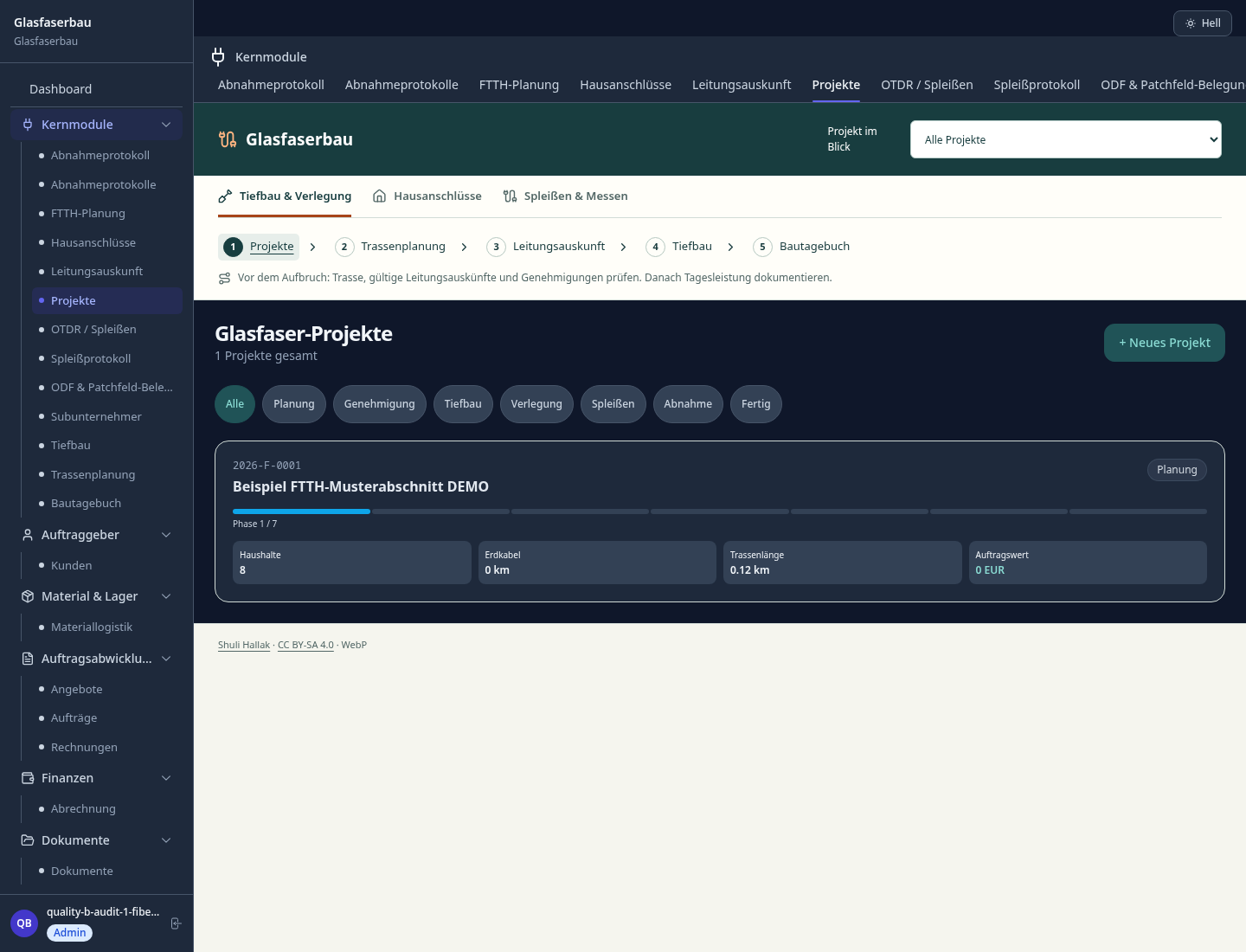
A named build project holds the client and planned quantities. Route plans and home connections can be linked to it, giving the supervisor a clear place to look when a particular address is queried.
The site diary records the crew, date, trench, duct and cable lengths, and notable events. It gives the next shift a recorded starting point without claiming that entered quantities have been surveyed or approved.
For a splice, record the closure, fibres, technician and attenuation; add OTDR trace data in the editor if available. Those records support review, while engineering judgement and acceptance remain human decisions.
How Sektura helps with everyday work
Fictional example: a crew has pulled cable along Willow Lane, but the splice at number 18 needs a second look before the client walk-through.
The supervisor finds the project and checks that the route entry and home connection point to the same section of work.
The splicer enters the closure and fibre details, then compares the attenuation with the measurement notes. An unusual trace stays flagged for review.
The crew enters its installed lengths in the site diary. The acceptance form captures route, fibres, measurement reference and examiner for discussion with the client.
The team can show what it recorded at that address and what remains open; it cannot call the connection accepted on the client's behalf.
Getting started is simple
Create one small build project with its client, section name and reasonable planned quantities before entering field records.
Add the intended route and affected home connections. Check utility information and site permissions through the appropriate channels before work starts.
Record a day's actual work and one splice, review the readings, then prepare the project-linked acceptance entry for the client.
Access rights, utility records and technical thresholds depend on the job. Record the relevant facts, but obtain approvals and judge measurements under your own contract and local requirements.
No credit card is needed to start your trial.
Industry solution
Fiber installation firms
Editorial workflow draft — not a product screenshot.
A new home fiber connection has been spliced and its measurement needs review.
Match the route and connection point to the job.
Review splice details and the OTDR measurement manually.
Agree open points and handover with the customer.
Measurements and open points are recorded for handover.
Manage and query fiber optic cables, manholes, sleeves and distributors on GIS map
Digital splice documentation with OTDR measurement curves, attenuation values and limit checking
Document home connections from planning to acceptance.
Digital wiring diagrams for splice distributors, splitters and patch panels with port assignments
Keep daily reports of progress and site issues.
Less paperwork
These features are included in every sektura solution.
Customer records with full project history for all FiberOpticDesk jobs and relevant contact and location information.
Invoices for FiberOpticDesk services under local law. Automatic numbering, PDF export and dunning management.
Appointments for FiberOpticDesk deployments with GPS address, staff assignment and automatic email reminders.
All FiberOpticDesk documents managed centrally: plans, protocols, warranties, certificates and manufacturer documentation.
FiberOpticDesk jobs with industry-specific fields, status tracking and automatic cost calculation.
Reports for FiberOpticDesk: revenue by service type, utilisation, averages and profitability per job.
Vote on new FiberOpticDesk features. Which functions matter most? Your vote counts in product development.
Getting started is simple
Set up service catalogue with hourly rates and material prices
Configure gis network plan & route map and enter initial data
Configure splice log & otdr measurement and enter initial data
Document home connections from planning to acceptance.
Create the first invoice or quote and test the workflow
Before you switch, we check which data we can transfer from your existing system.
openHandwerk · ConnectMaster · Plancraft · FNT Command
Germany · Austria · Switzerland · United Kingdom · France · Spain · Italy · Netherlands · Poland · Portugal · Sweden · Denmark · Norway · Finland · Czechia · Romania · Hungary · Türkiye · Russia · Ukraine · Indonesia · Vietnam · Thailand · Saudi Arabia · China · Japan · South Korea · India · Greece · Croatia · Serbia · Bulgaria · Slovakia · Slovenia · Lithuania · Latvia · Estonia · Albania · Malaysia · Philippines · Bangladesh · Pakistan
04 / Getting started
Choose your industry, country and billing cycle. You will see the corresponding industry price; book add-ons separately when needed.
days free trial
No credit card is needed to start your trial.
No credit card is needed to start your trial.
Add-ons are billed separately in EUR. Displayed prices reflect your selected country and billing cycle.
Project planning, construction supervision, CAD management and client management for architecture firms.

Job management for auto repair shops and garages

Job management for carpenters, joiners and cabinet makers — Furniture, kitchens & interior fit-out
Job management for electricians and electrical contractors
